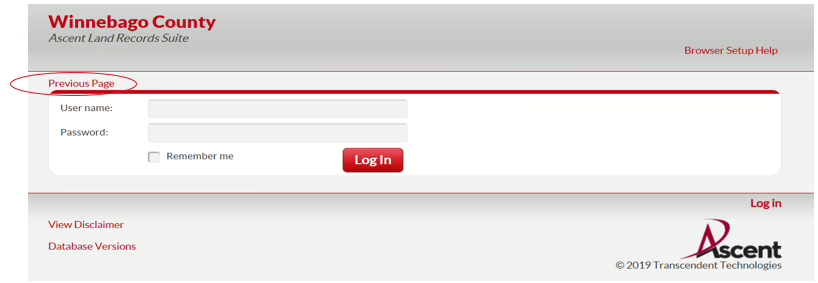
Please note, if you link to a Log In screen, please click ‘previous page’ to get to the search screen.
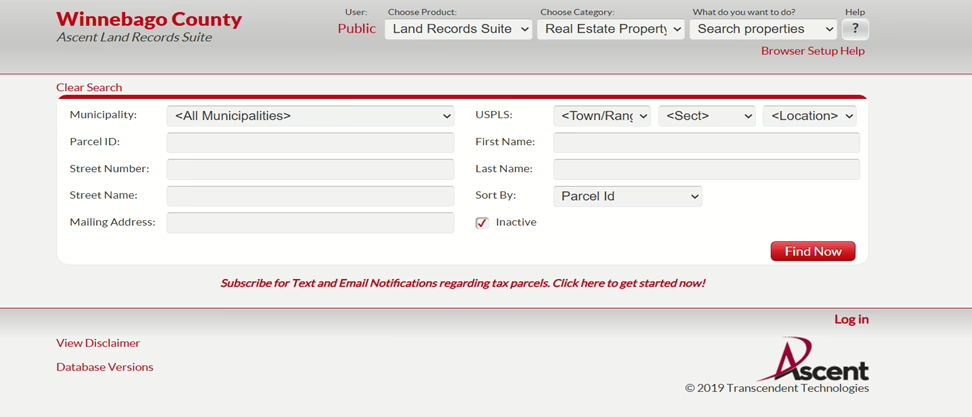
Your search screen should look like:
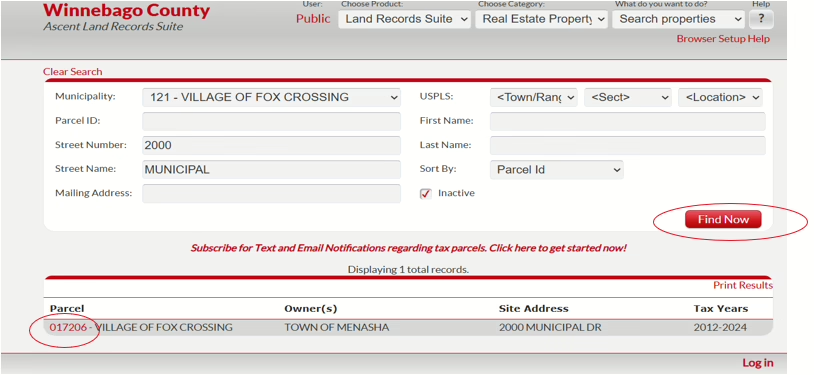
Select VILLAGE OF FOX CROSSING, enter your address without the Street, Drive, Lane, etc. For example the Village of Fox Crossing is 2000 Municipal Drive, so I would enter the below and click ‘Find Now’. You can also search by Parcel Number or Name. If searching by parcel number, all parcel numbers for Fox Crossing start with 121, which is the municipality. Enter the remaining parcel number, excluding the 121, without dashes in the ‘Parcel ID’ box. In summary, the less information entered the better. You do not need to fill in every box.
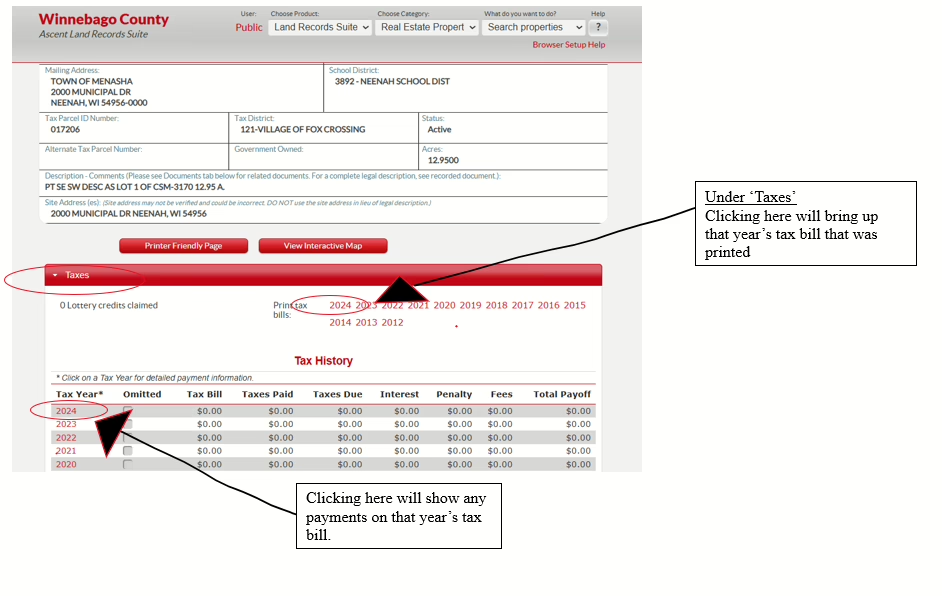
You will then click on the red parcel number and it will bring you to the property information